Setting up eBay business policies
eBay won't publish a listing until your account has a shipping, a payment and a returns policy. This is the fiddliest part of connecting eBay to anything, and it's fiddly because of where eBay keeps it.
Two things nobody tells you, and they're why people give up.
It isn't in Seller Hub. That's where everyone looks, and there's no Account tab there at all. The page lives under My eBay.
And it doesn't exist on a phone. eBay's mobile site has no business policies page. If you've been hunting for it on your phone, that's why you couldn't find it — not because you missed it.
On a laptop it takes about ten minutes, and you only ever do it once.
Open the page on eBayThat link goes straight there. By hand it's My eBay → Account → Selling → Business Policies.
First, where it isn't
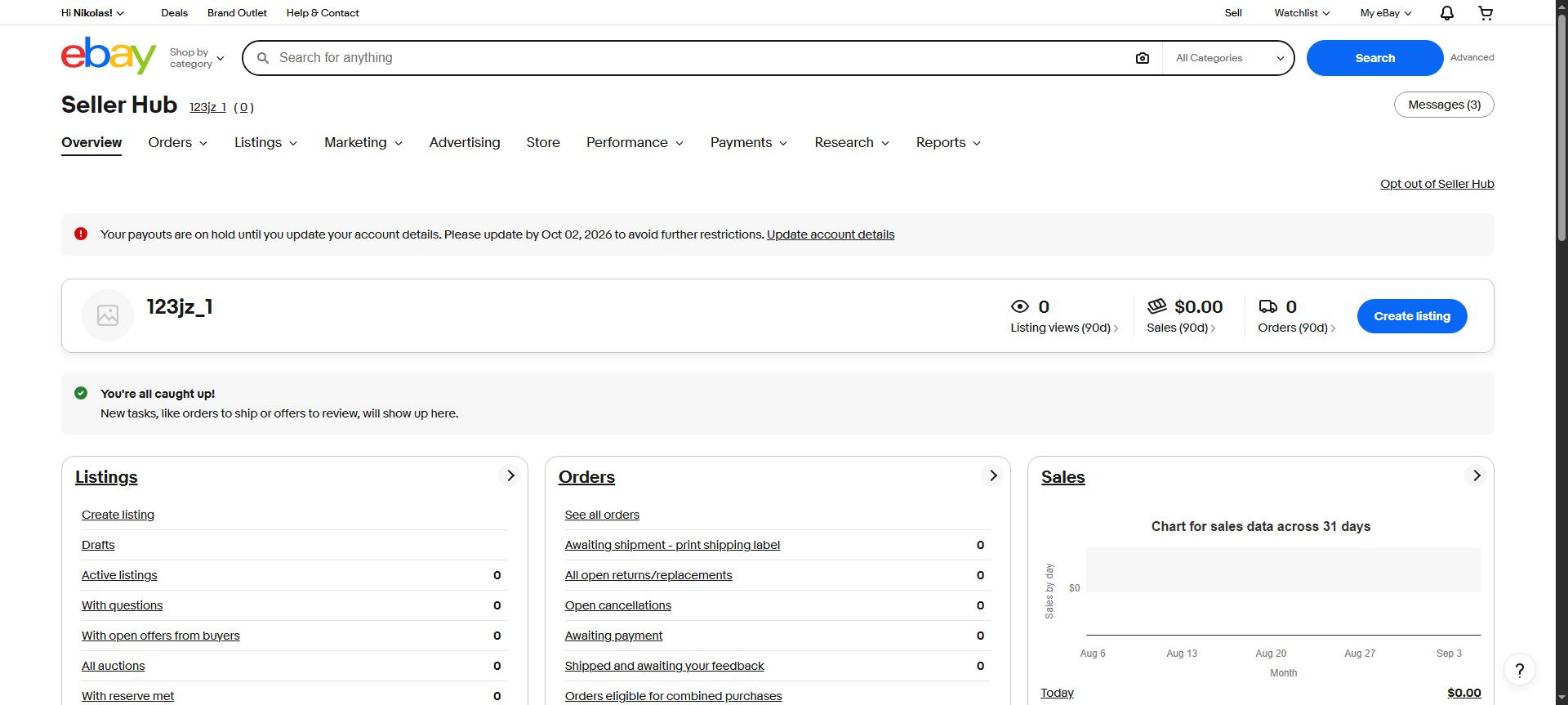
Not in Seller Hub
This is where everyone looks, and it's a reasonable guess — Seller Hub is where the rest of your selling lives. But look at the tabs: Overview, Orders, Listings, Marketing, Advertising, Store, Performance, Payments, Research, Reports. There's no Account tab.
Plenty of guides, including one I wrote before checking, will tell you to go to "Seller Hub → Account". That tab doesn't exist. If you've been looking here, you weren't missing it.
Step 1
Find the page
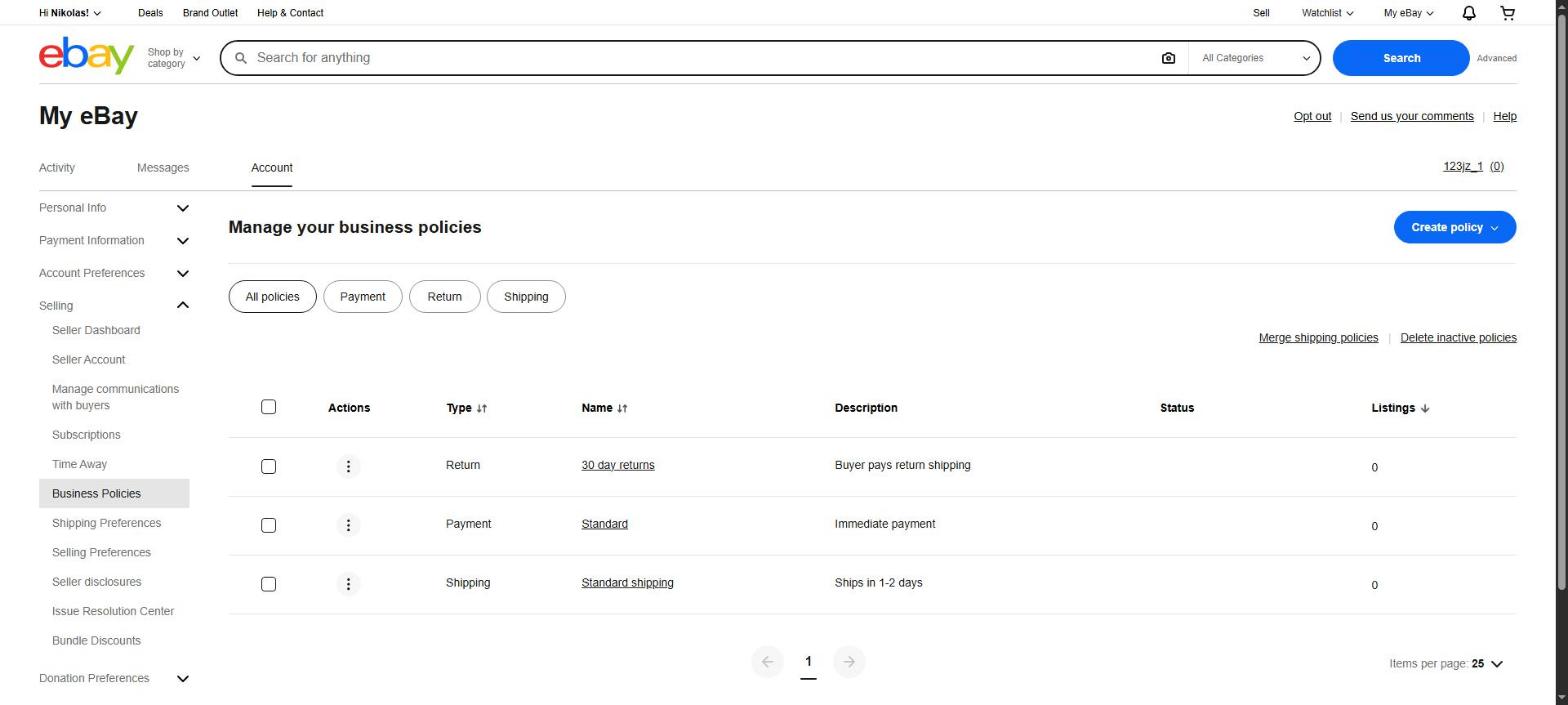
Sign in to eBay on a computer and go to ebay.com/bp/manage. You'll land on "Manage your business policies", with Business Policies highlighted in the left-hand menu under Selling.
Step 2
Opt in, if eBay asks
eBay leaves business policies switched off until a seller asks for them, so plenty of accounts have never had them. If you see an opt-in button, press it. It takes effect straight away and there's nothing to undo later.
If you go straight to the page above and see a list of policies, you're already opted in and can skip this.
Step 3
Make one of each
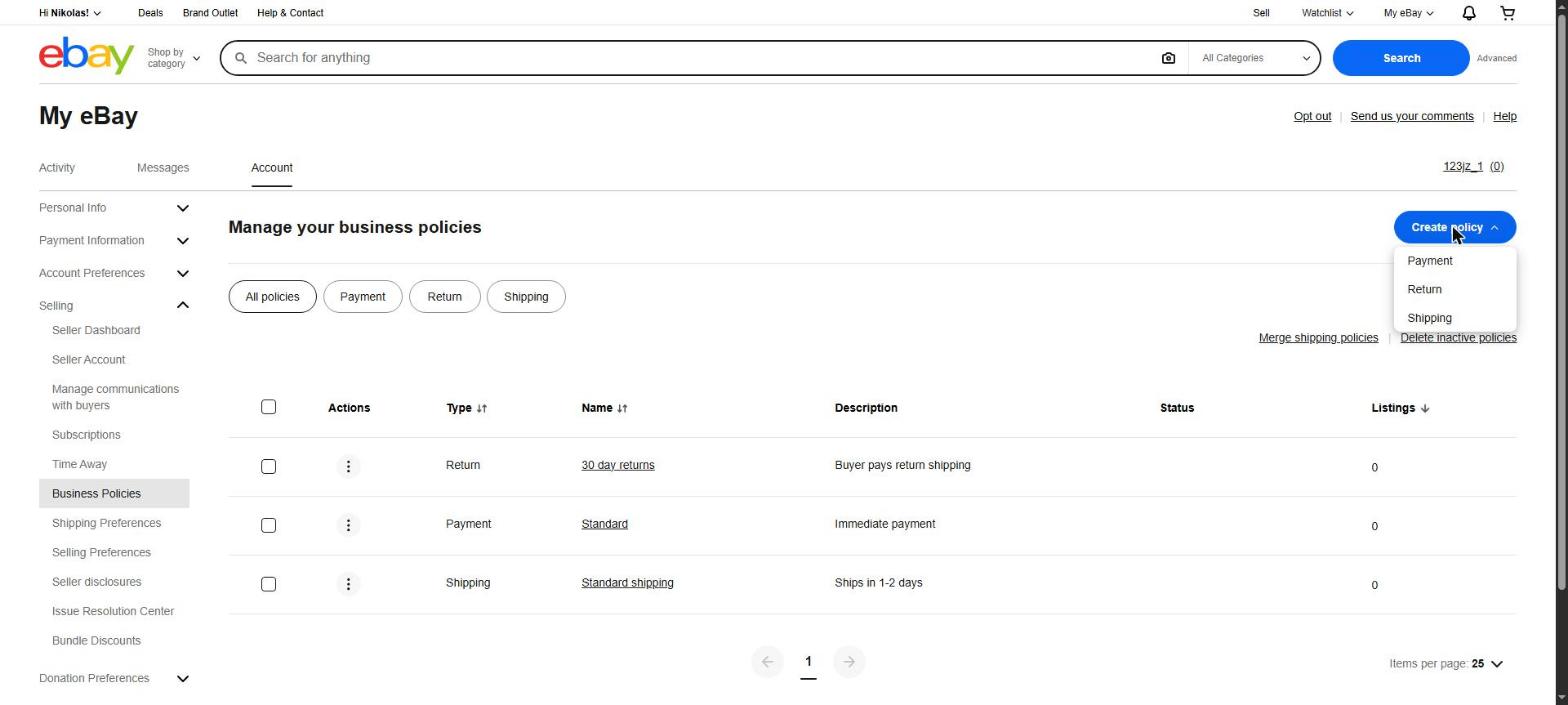
Press Create policy at the top right and you'll get a choice of Payment, Return or Shipping. You need one of all three before eBay will publish anything.
Step 4
Shipping — the fiddly one
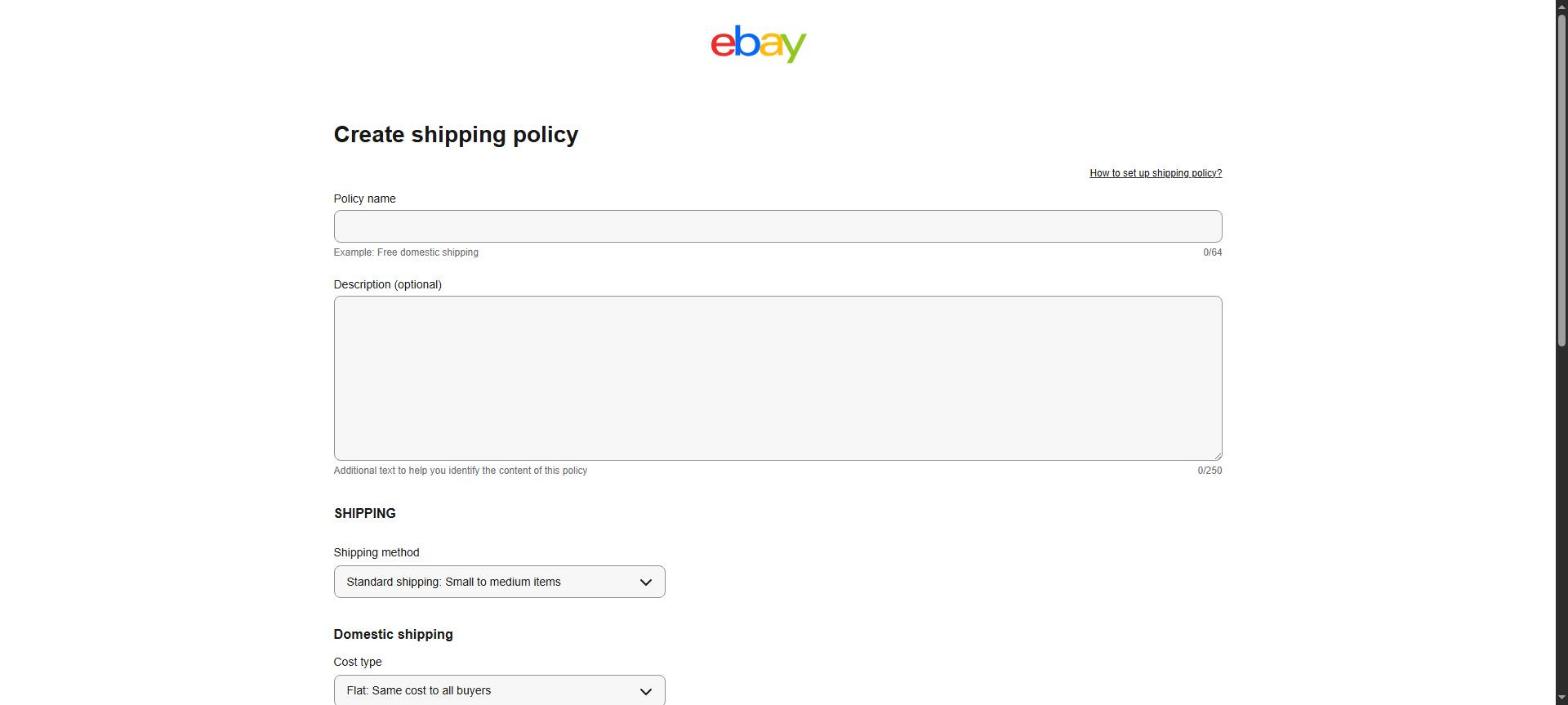
This is the one that stops people, because it asks for a service and a cost rather than just a name.
- Policy name. Anything. "Standard shipping" is fine.
- Shipping method. Standard shipping suits most second-hand goods.
- Cost type. Flat: same cost to all buyers is the simplest — the buyer pays a fixed amount you set.
- Handling time. How long before you post it. Be honest; late dispatch hurts your seller rating more than a longer stated time does.
Think before choosing free shipping. It's tempting because eBay's search favours it, but it comes out of your margin on every single sale. If you're not sure, start with the buyer paying and change it later.
Step 5
Payment and returns
Payment is the quickest of the three. eBay handles the money itself now, so there's little to set beyond wanting to be paid when someone buys.
Returns takes a moment's thought. Thirty days with the buyer paying return postage is the common starting point. Accepting returns at all helps you in eBay's search, and refusing them entirely puts some buyers off.
Step 6
Come back and pick them
That's eBay done. In Resale Inventory, open Menu → eBay and your three policies will be in the lists. Pick one of each and save.
You'll also be asked for the address you post from. There's no page on eBay to add one, so the app creates it for you — put it in and press save. Buyers don't see it.
If something's still missing
The app tells you which of the three it can't find rather than saying "policies missing" — so if it mentions shipping, that's the one that didn't save. Go back and check it appears in the list on eBay.
Still stuck? Email support@resaleinv.com and say which step, and I'll walk through it with you.
Worth saying plainly: none of this is needed for the rest of the app. Costs, profit, pallet maths, mileage and your tax export all work without ever connecting eBay. This is only for posting to eBay directly from your inventory.